
 Official Docs
 Join our Discord
![[ Escrow ] Shops Creator Script ESX/QB](https://dunb17ur4ymx4.cloudfront.net/packages/images/9cec280ace35aa30c05d04a0b4aaf543dfb4c2d9.png)
PREMIUM EDITION
🏪 RAMBO3DEV SHOPS CREATOR
Transform your FiveM server with the ultimate shop creation system! Create unlimited custom shops with visual admin tools, advanced Blip management, and seamless multi-framework integration.
✨ No Config Editing ⚡ Real-time Updates
🛠️ HOW TO CREATE A SHOP
1️⃣ Open Admin Interface
Use the command /shopadmin to open the shop creator interface.
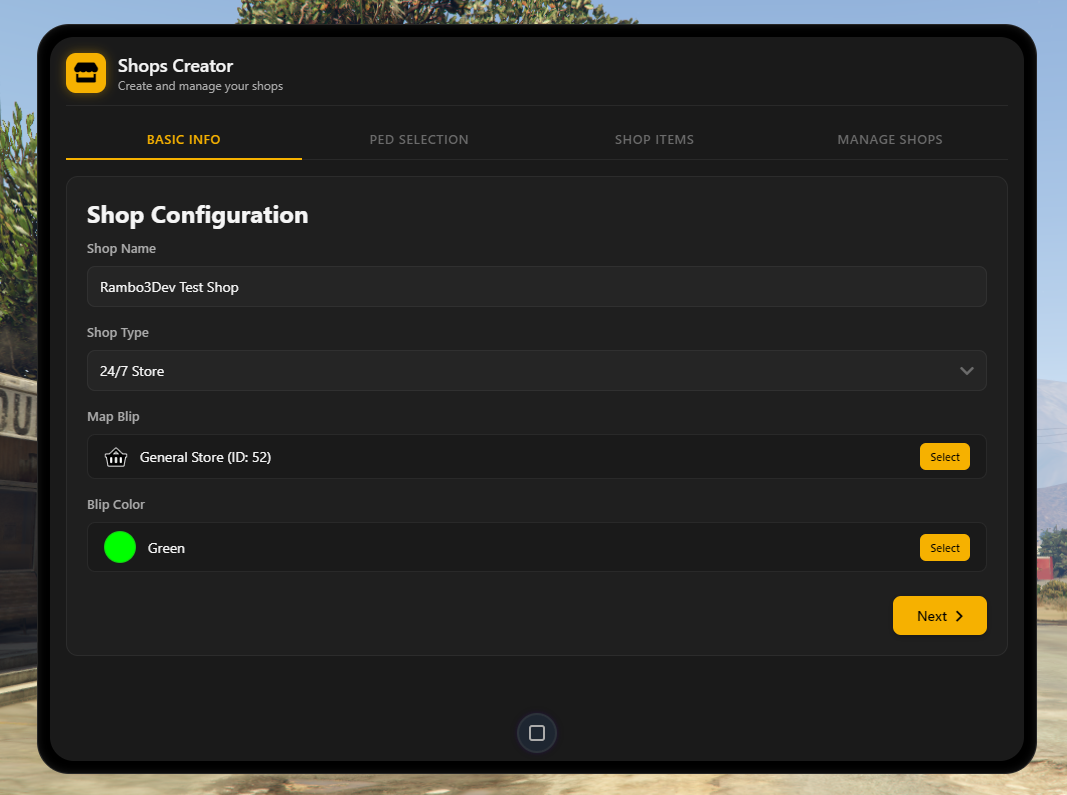
2️⃣ Shop Configuration
Configure your shop with the following options:
- Shop Name: Custom display name (max 50 characters)
- Shop Type: Choose category (e.g., General, Weapon, Clothing)
- Ped Model: Select from 25+ NPC models
- Blip Type: Choose from 25+ map icon sprites
- Blip Color: Select from 85+ color options
- Position: Set shop location to current player position
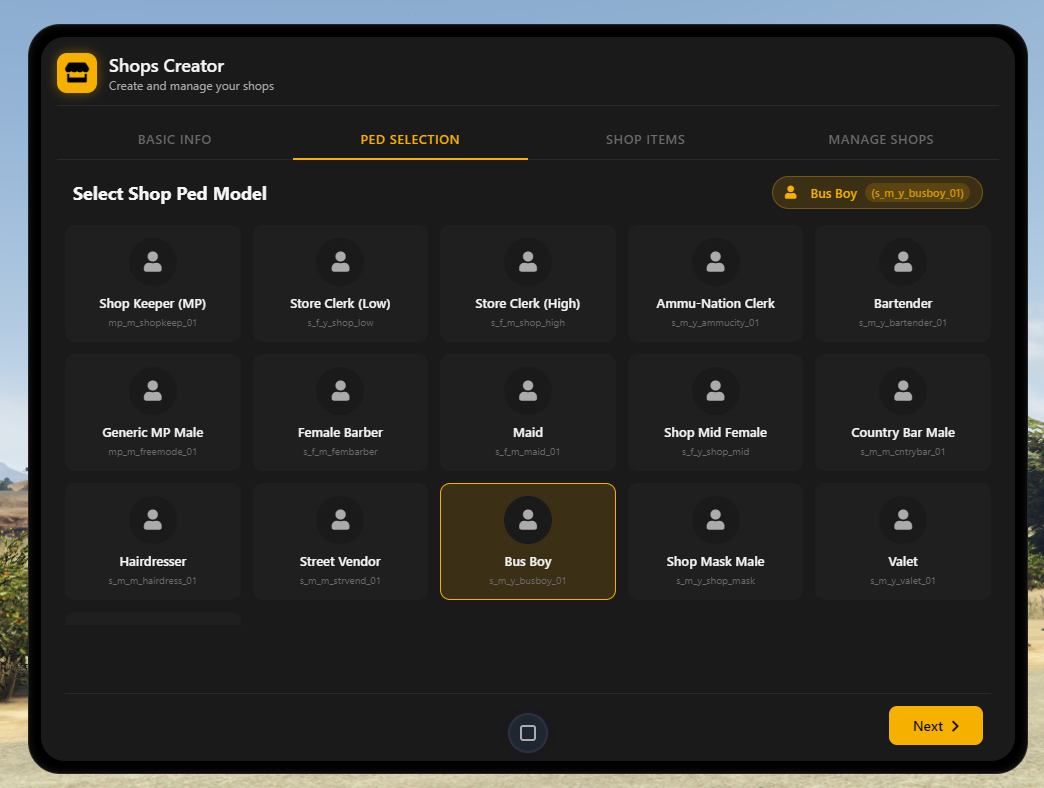
3️⃣ Ped Selection
Choose your shop's NPC with these features:
- Visual Grid Layout with model previews
- Organized by shop type categories
- Technical ped names displayed
- Highlighted current selection in top-right
- Click to select any ped model
4️⃣ Blip Configuration
Customize your shop's map blip with these tools:
- Search & Selection: Search bar, visual blip gallery, and category filtering
- Custom Blip Options: Set Blip ID, custom name, sprite identifier, and live preview
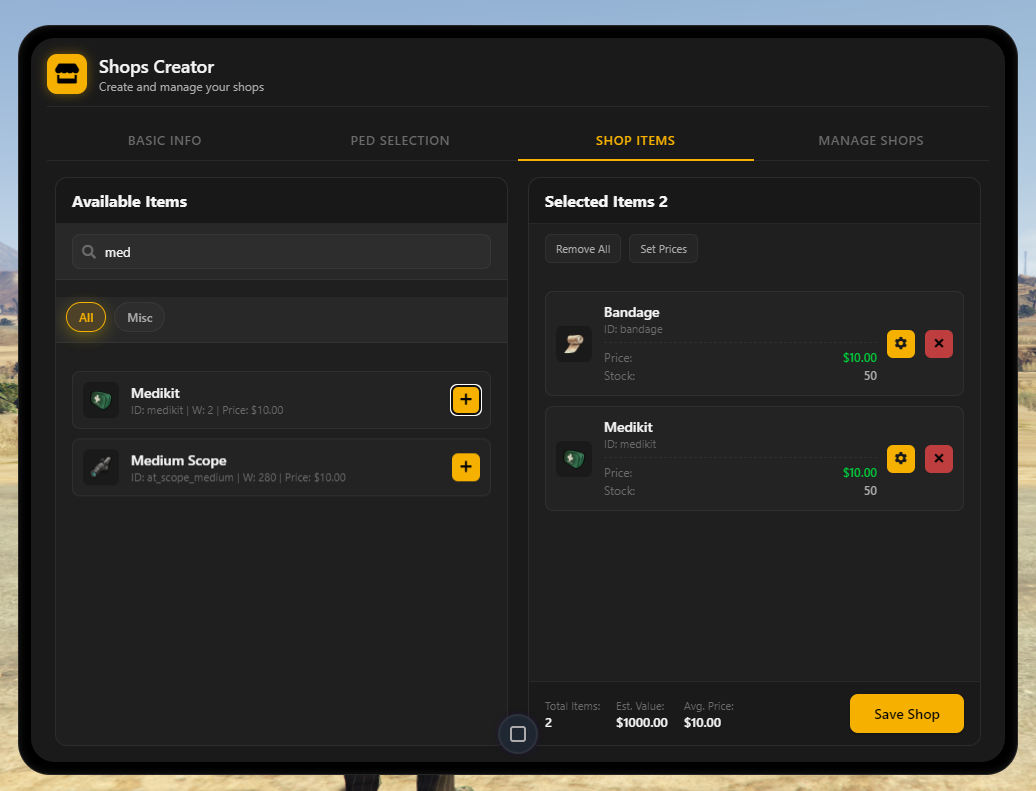
5️⃣ Item Management
Manage shop inventory with these panels:
- Available Items (Left): Search bar, category filters ("All", "Misc"), item list with icons, and yellow "+" button to add items
- Selected Items (Right): Displays selected items count, bulk actions ("Remove All", "Set Prices"), item cards with details, and individual edit (⚙️) and remove (❌) buttons
- Price & Stock: Shows current price (e.g., $10.00) and stock amount (e.g., 50)
✏️ HOW TO EDIT A SHOP
- Open the admin interface with
/shopadmin - Navigate to the "MANAGE SHOPS" tab
- Find your shop in the list
- Click the edit button (✏️) to modify settings
- Make changes in any tab (Basic Info, Ped, Items, Blips)
- Save changes to update the shop
🗑️ HOW TO DELETE A SHOP
- Open the admin interface with
/shopadmin - Navigate to the "MANAGE SHOPS" tab
- Select the shop to delete
- Click the delete button (trash icon)
- Confirm deletion in the popup
🎬 LIVE PREVIEW & DEMONSTRATION
📹
YouTube Video Preview
Showcase your script in action with a professional demonstration video
🖼️ SCREENSHOT GALLERY
✨ PREMIUM FEATURES
🎛️ Visual Admin Interface
⚡ Real-time Management
👥 Professional NPCs
🎨 Advanced Blip System
🔧 Multi-Framework Support
🎮 Professional UI/UX
🛡️ Enterprise Security
🚀 Performance Optimized
📋 SYSTEM REQUIREMENTS
🔧 Framework
ESX Legacy / QBCore Latest🗄️ Database
MySQL 5.7+ / MariaDB 10.3+ (HeidiSQL)📦 Dependencies
ESX: oxmysql, ox-inventory, ox-libQBCore: qb-inventory, oxmysql
🎮 FiveM
Latest artifacts recommended⭐⭐⭐⭐⭐
Join 1000+ satisfied server owners who trust Rambo3Dev for premium FiveM solutions!
"The best shop system I've ever used. Professional, reliable, and feature-rich!" - Server Owner